
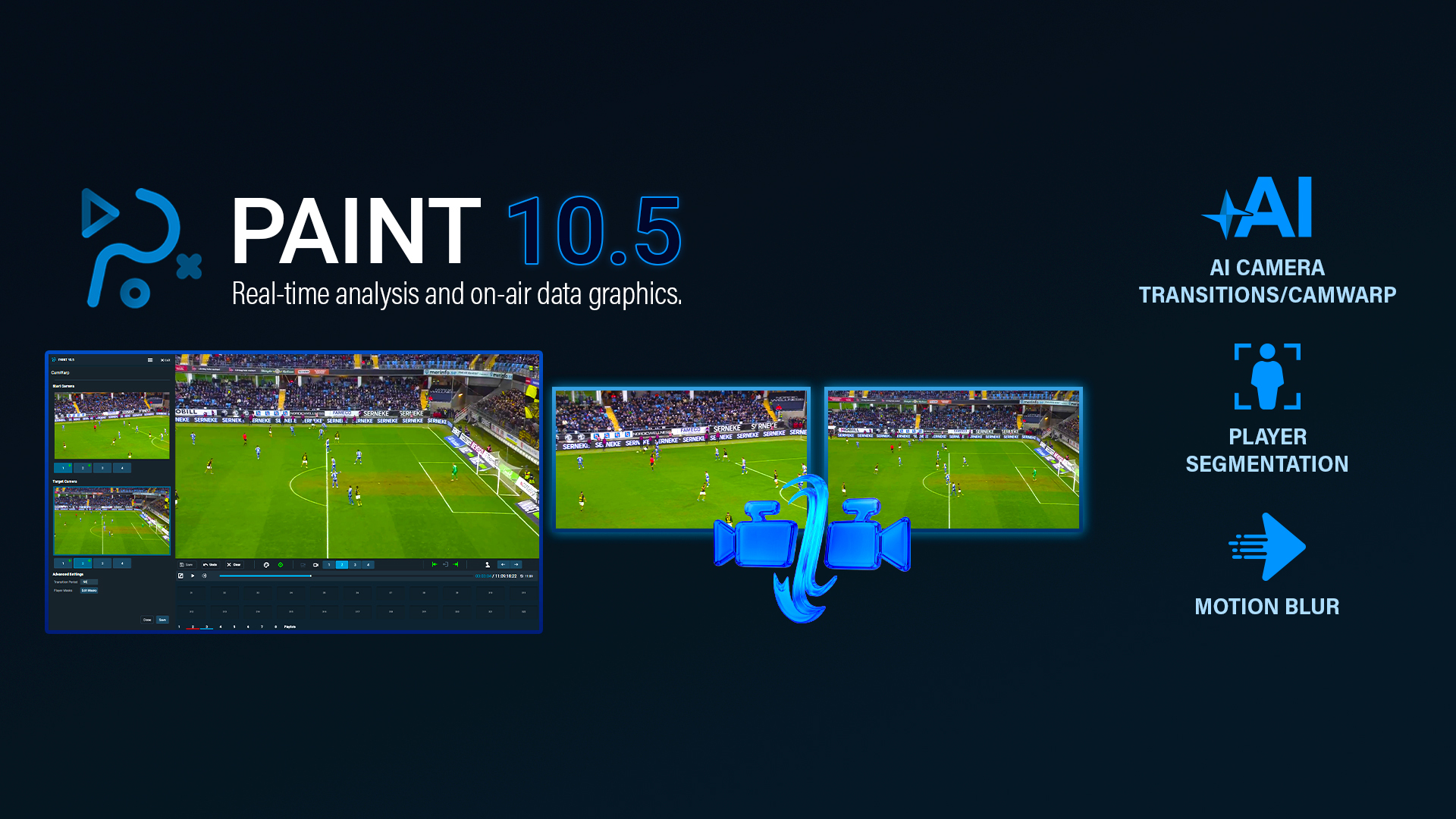
AI-Assisted Camera Transitions for Sports Replay
CamWarp brings smooth, AI-assisted camera transitions to PAINT, helping operators move between synced, calibrated replay angles with cinematic motion while keeping graphics correctly aligned throughout the transition.
PAINT 10.5 Highlights:
- CamWarp AI camera transitions
- Smooth movement between synced, calibrated replay angles
- New generated transition clips saved for review or playout
- Player Segmentation Editor for cleaner transition setup
- Optional Motion Blur for more natural camera movement
Move beyond hard cuts in multi-angle replay
In live sports production, every replay angle tells part of the story. However, moving from one camera perspective to another with a hard cut can interrupt the flow of analysis and make it harder for viewers to follow the play.
CamWarp changes that.
The CamWarp feature uses AI-assisted camera transition technology to create smooth, rendered movement between synced replay angles. Instead of jumping abruptly from a game camera to a tactical angle, sky cam, reverse angle, or alternate view, operators can create one continuous replay moment that feels more fluid, polished, and viewer-friendly.
AI-generated camera movement inside PAINT
The CamWarp feature uses AI-assisted camera transition technology to create smooth, rendered movement between synced replay angles. Instead of jumping abruptly from a game camera to a tactical angle, sky cam, reverse angle, or alternate view, operators can create one continuous replay moment that feels more fluid, polished, and viewer-friendly.
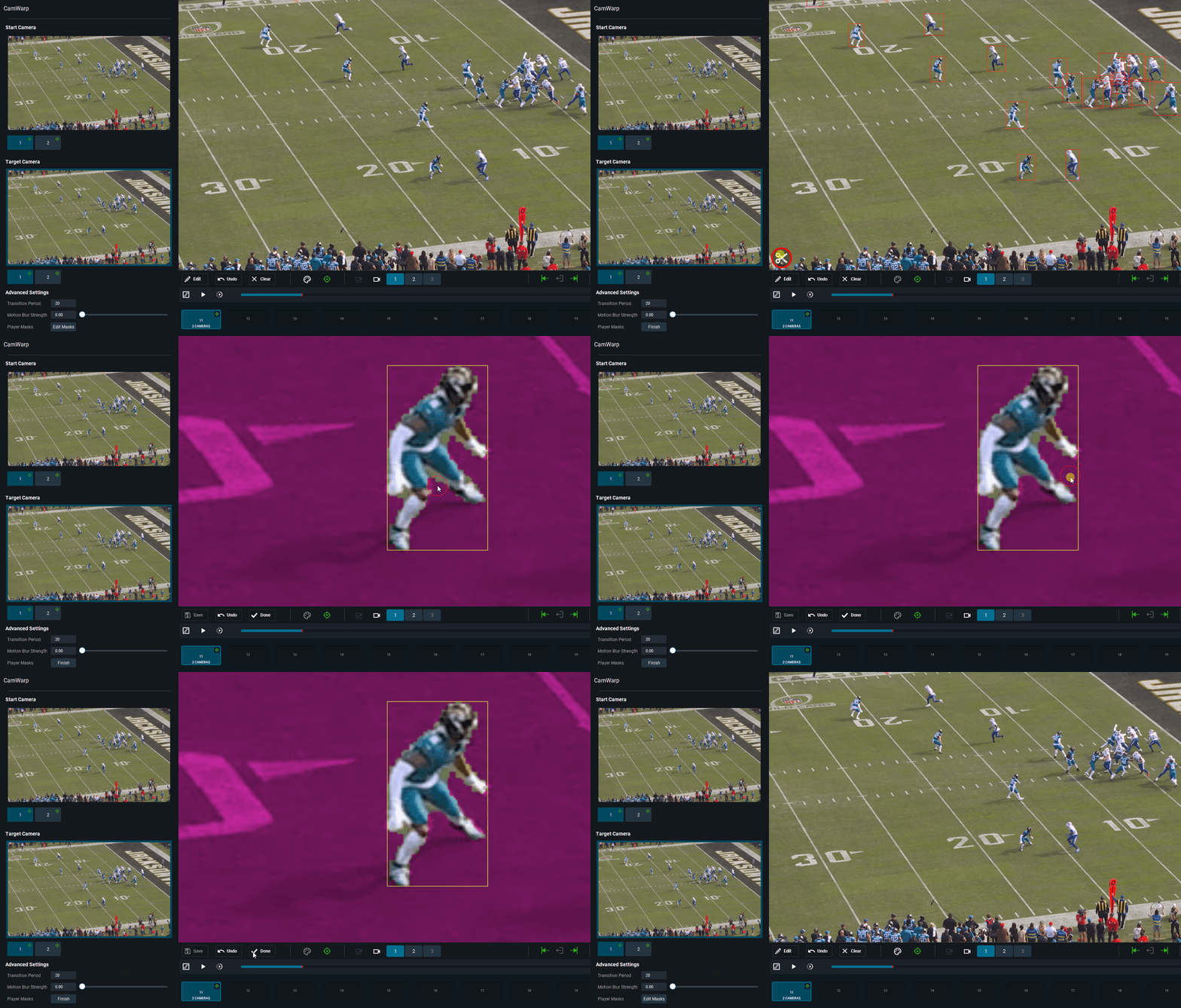
CamWarp is built directly into the PAINT replay workflow. Operators can select a saved multi-angle clip, choose the exact transition point, set the starting camera angle, choose the target angle, and generate a new playable clip for review, iteration, or playout. The workflow stays inside PAINT, so replay teams do not need to move clips into separate systems to create a more cinematic camera move.
Inside the workflow:
- Replace abrupt camera cuts with smooth, AI-generated movement
- Move between synced replay angles directly inside PAINT
- Keep graphics correctly aligned throughout the transition
- Create a separate playable clip for review, telestration, playout
- Support more polished storytelling across game, tactical, sky cam, reverse, or alternate views
Keep replay graphics aligned through the transition
CamWarp is designed for synced, calibrated camera angles, helping preserve the analysis context as the replay moves from one perspective to another
For sports analysis, alignment matters. Lines, arrows, highlights, player indicators, and other telestration graphics need to remain connected to the field and the moment under analysis. With CamWarp, graphical elements remain correctly aligned throughout the transition, helping the audience follow the analyst’s point without losing spatial context.
This makes CamWarp more than a visual effect. It becomes part of the storytelling workflow, giving productions a smoother way to move between perspectives while preserving the clarity and credibility of the analysis.
Refine Player Masks Before You CamWarp Transition
CamWarp includes a player segmentation editor that gives operators more control before the AI-generated transition is created.
If a player is far away, partially obscured, overlapping with another player, or missing from the segmentation, the operator can clean up the selected frames before generation. This helps improve the source information used by the CamWarp and gives teams a faster path to a cleaner transition.
Player segmentation editor helps operators:
- Clean up player segmentation within the CamWarp workflow
- Add missing players before generating the transition
- Refine starting and target angles
- Improve transition quality before review or playout
- Reduce visible artifacts caused by incomplete segmentation
Add Natural Motion with Motion Blur
Motion blur gives CamWarp transitions a more natural, cinematic finish.
During an AI-generated camera move, highly detailed frames can make the transition feel too sharp or mechanical. Using motion blur is optional and adds directional blur that follows the movement between angles, creating a more realistic sense of camera travel. It also helps soften minor edge artifacts or segmentation imperfections during the transition, making the final result feel smoother and more polished on air.
On-air impact:
- Creates a more natural sense of camera movement
- Adds directional blur during the AI-generated transition
- Helps soften minor visual artifacts
- Makes the transition feel less mechanical and more cinematic
- Adds a polished finishing layer to multi-angle replay storytelling
Build More Cinematic Replay Moments with PAINT
PAINT is Chyron’s illustrated replay and sports analysis platform, designed to help broadcasters create clearer, faster, and more visually engaging sports storytelling. With CamWarp, operators can move between synced replay angles with smooth, AI-assisted camera motion while staying directly inside the PAINT workflow.
The result is a more polished way to build multi-angle replay analysis. CamWarp combines calibrated camera angles, player segmentation refinement, and optional motion blur to help teams create cinematic transitions without adding unnecessary complexity to live production.
Whether the goal is to break down a decisive play, show tactical positioning, compare perspectives, or guide the audience through a complex moment, the CamWarp feature in PAINT helps make replay storytelling smoother and more engaging.